
.svg)
All the tools you need for your sheet music. One app.
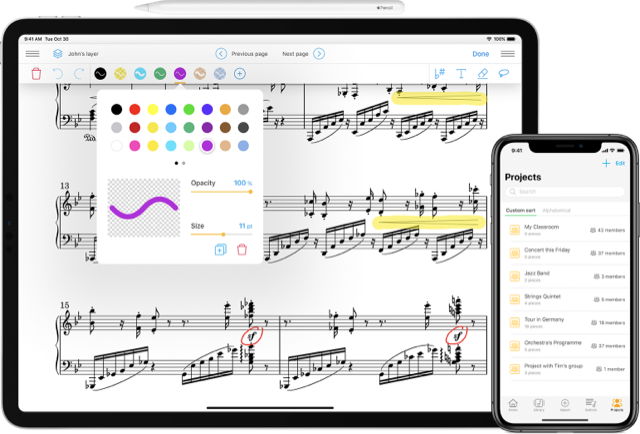
Import all your sheet music and build your digital library. Use a range of professional tools to work on your pieces, and share your annotations in real time with your band or ensemble. Generate a playable MIDI file from your PDF sheet music using LiveScore technology.
.png)
4.7 on the Apple Store
500,000 users
Over 150 institutions place their trust in us
(operas, ensembles, schools)
(operas, ensembles, schools)
14 million scores managed
Are your sheet music scores never up to date?
You quickly download a sheet music file, but it’s not the right version. Some staves and annotations are still missing, so you have to copy them out by hand. At home, you want to prepare your part, but you can’t listen to it separately. And, as luck would have it, you don’t have the updated sheet music with you for rehearsal.
Our app helps you centralize your sheet music, keep it in sync with the other musicians you work with, and support your daily practice.
Our app helps you centralize your sheet music, keep it in sync with the other musicians you work with, and support your daily practice.
App Overview
.svg)
.png)
.png)
Unlimited cloud storage for your partitions
Import all your music and access it on your iPad, iPhone, and the web. Organize it by projects, setlists, and versions; everything is continuously synced and backed up.
Export MusicXML and MIDI
Import your scores into your notation software or DAW. Converted to LiveScore, they can be exported to MusicXML/MIDI for editing, rearranging, or audio rendering.
Transposition of PDF scores
Rewrite the score in the desired key and clef. For PDFs, transposition is performed after conversion in LiveScore.
Unlimited LiveScores conversions
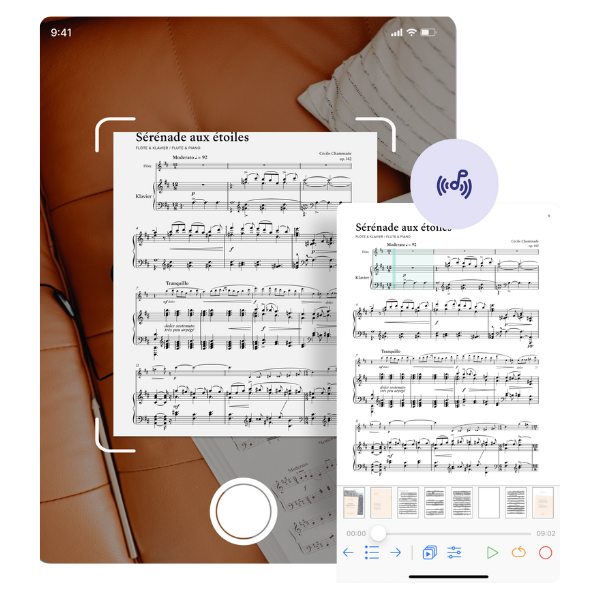
Allows you to generate a playable MIDI file from your PDF sheet music, see and hear your music come to life with an automatic tracking slider, and generate a dynamic MusicXML file for use in any notation software.
Workflow
Designed for your key moments

Setlists
Prepare a concert
Organize your songs in a Setlist and a shared Project.
Add the necessary versions (separate parts, playing order).
Annotate neatly (pens, highlighters, stamps).
Distribute to the ensemble: everyone can access it in real time on iOS & Web.
Add the necessary versions (separate parts, playing order).
Annotate neatly (pens, highlighters, stamps).
Distribute to the ensemble: everyone can access it in real time on iOS & Web.

Practical
Work on a piece
♪ Convert PDF → LiveScore for guided playback and sections.
♪ Enrich with audio/MIDI/video and synchronize to automate turns.
♪ Adjust tempo/key; use half-page turns or a Bluetooth pedal.
♪ Transpose if needed and export MusicXML/MIDI to further explore in your editor.
♪ Enrich with audio/MIDI/video and synchronize to automate turns.
♪ Adjust tempo/key; use half-page turns or a Bluetooth pedal.
♪ Transpose if needed and export MusicXML/MIDI to further explore in your editor.

Collaboration
Share with your group
♪ Create a Project for the group and add the scores.
♪ Make annotations on your personal layer and view those of others.
♪ Instantly share corrections/bowings (updates visible to all).
♪ Access anywhere via the Cloud (iPad, iPhone, Web) without having to resend anything.
♪ Make annotations on your personal layer and view those of others.
♪ Instantly share corrections/bowings (updates visible to all).
♪ Access anywhere via the Cloud (iPad, iPhone, Web) without having to resend anything.
Summary of features
Cloud & Projects — Organized by setlists, versions, and shared folders.
LiveScores — PDF → interactive: guided reading, sections, MusicXML/MIDI export.
Transposition — Available after conversion to LiveScore.
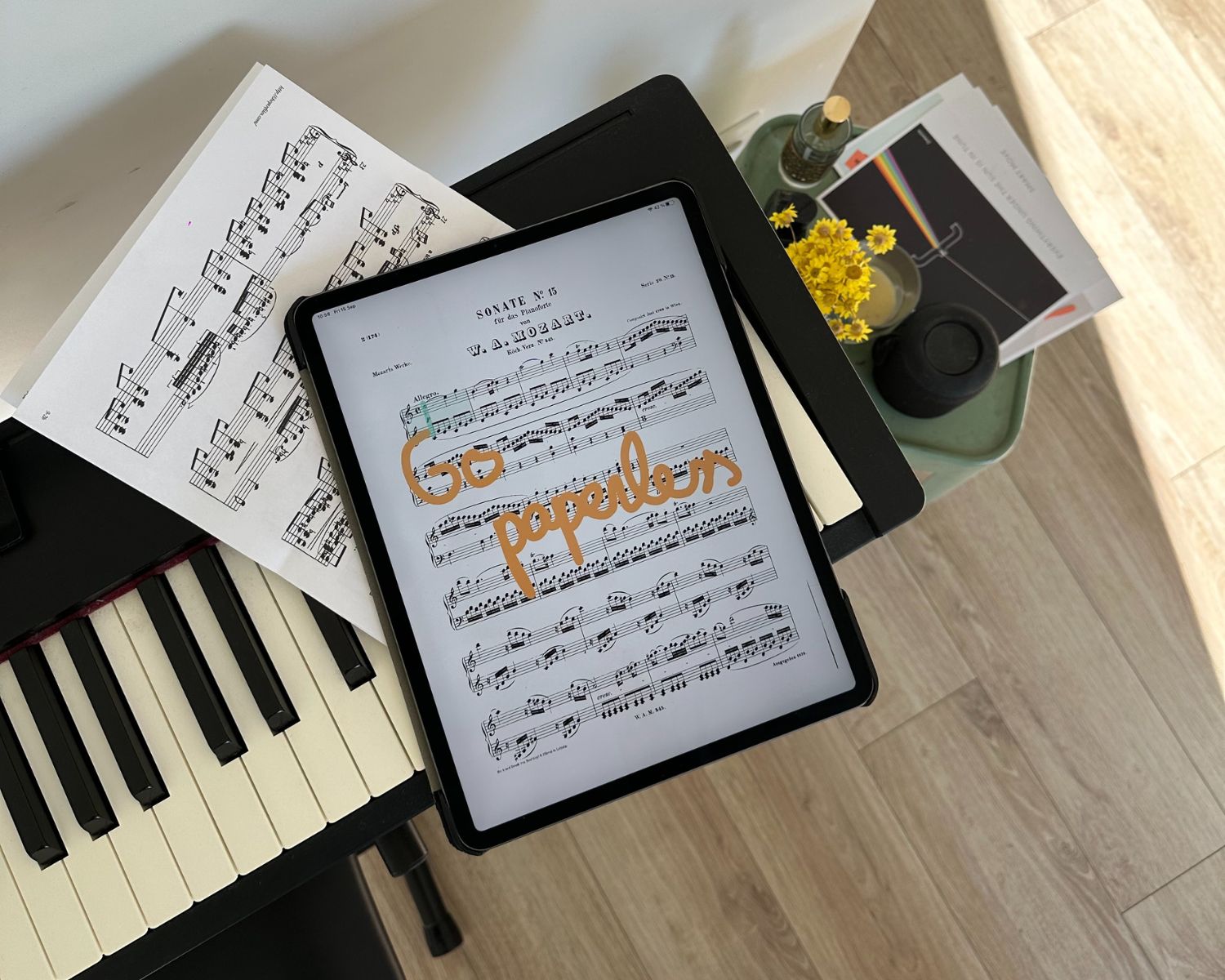
Annotations — Pens, highlighters, stamps, bookmarks, and jumps.
Media — Add audio, MIDI, or YouTube and sync with playback.
Page turn — Face gestures , half-page, and Bluetooth pedal.
App Overview
Testimonials
Your opinion matters.

Excellent application
I've had it since this app was first created, and it keeps getting better and better. It now replaces all the other apps I used to use. I really like the playlists, the split screen, the multitude of import options, annotations, etc. What's more, the support team is very responsive.
lami974
September 3, 2025
The best app for musicians
I love this app, which I use every day. It allows me to access my entire music library from anywhere and to work collaboratively with my students and colleagues. I recommend it 100%!
Emma from Marseille
June 13, 2024
This app is awesome!!!
First of all, I would like to thank the developers of this application. I think it's great, especially for its user-friendliness and sleek interface, as well as the ability to convert my scores into Livescore and scan scores to convert them into PDF and/or MusicXML files. Also, adding multiple scores at once to the library is a breeze, and the setlists that can be sorted as desired are impeccable. The page turner is also very useful even without using a pedal.
giraffe
Director of Human Resources, Delta Consulting
Frequently Asked Questions
1- How to import your sheet music?
In the Newzik App (iOS), open Library → Import:
-from the Files app (PDF, MusicXML, MIDI),
-via the iOS share sheet ("Open in Newzik"),
-or with the built-in scanner to scan a paper score into PDF.
Imported files are synchronized in the Newzik Cloud.
-from the Files app (PDF, MusicXML, MIDI),
-via the iOS share sheet ("Open in Newzik"),
-or with the built-in scanner to scan a paper score into PDF.
Imported files are synchronized in the Newzik Cloud.
2- How to create a Project?
In the app, go to Projects → New Project, name it, then add scores and invite your musicians/students.
Content and annotations sync in real time for all members (depending on access rights).
Content and annotations sync in real time for all members (depending on access rights).
3- What is a Livescore?
LiveScores are interactive scores obtained by converting (OMR) your PDFs: they offer guided reading, section navigation,MusicXML/MIDI export, and transposition (available after conversion).
4- What formats are accepted?
PDF, MusicXML, and MIDI.
PDF files can be converted to LiveScore to access guided playback, export, and transposition. MusicXML and MIDI files can be imported and added to your works/projects.
PDF files can be converted to LiveScore to access guided playback, export, and transposition. MusicXML and MIDI files can be imported and added to your works/projects.
5- How do I transpose an XML or PDF score?
In Newzik, transposition is available for LiveScores:
-PDF: first convert the file to LiveScore, then transpose (key/clef).
-MusicXML: you can export/open the file in your notation software to transpose it. (Transposition in Newzik is linked to LiveScore.)
-PDF: first convert the file to LiveScore, then transpose (key/clef).
-MusicXML: you can export/open the file in your notation software to transpose it. (Transposition in Newzik is linked to LiveScore.)
1- I only have paper copies of my sheet music. Can I still use them in Newzik?
Yes. You can take photos of or scan your paper sheet music. Newzik automatically recognizes them and makes them available in digital format.
2- What file formats can I import into Newzik?
You can import PDF and MusicXML files and use them directly in the app.
3- Can I share sheet music with others and work on it together?
Yes. With our app, you can share sheet music, annotations, and edits directly with your ensemble and work on them together.
4- Can I transpose sheet music for different instruments or vocal ranges?
Yes. Newzik allows you to transpose by key and pitch for all instruments and voices.
5- Does Newzik also work without an Internet connection?
Yes. Once you've downloaded your sheet music, you can use it offline. An internet connection is required for synchronization.
6- On which devices can Newzik be used?
Newzik is your secure digital music folder for iPad, iPhone, and web browsers.
7- Can I try Newzik for free?
Yes, you can use Newzik for free and try out its main features: save up to three scores and convert ten pages in LiveScore. To access advanced features, you can choose from a variety of plans.
Stay connected
Subscribe to our newsletter