
What music notation app is best for music schools?
Table of Contents
What are the specific needs of a music conservatory when it comes to digital sheet music?
A conservatory manages hundreds of sheet music scores for dozens of different instruments at any given time, making a sheet music management application essential once the volume of documents reaches a certain level. According to the Ministry of Culture (2024 report), France has 420 regional (CRR) and departmental (CRD) conservatories, in addition to nearly 1,000 accredited music schools. Each of these institutions juggles a repertoire of classical, contemporary, and educational works.
These needs differ from those of a solo musician. A conservatory teacher needs to quickly access a student’s score, make visible corrections to it, and then share the annotated document before the next lesson. A conductor of an amateur choir or orchestra run by the institution needs to ensure that all sections have the same up-to-date version.
Three challenges consistently arise in music education institutions:
- Managing a library shared by teachers and students, with different access rights.
- The app runs smoothly during classes or rehearsals, without crashing or slowing down.
- Compatibility with common file formats: PDF, MusicXML, as well as files from music notation software such as Sibelius or Finale.
In addition to these constraints, there is the issue of institutional budgets. A municipal or intermunicipal music school negotiates licenses for its entire teaching staff, and sometimes for students as well. The Newzik Education offering was specifically designed to meet the needs of these multi-user environments, with pricing tailored to public institutions.

What criteria should be considered when selecting a music notation app for educational use?
For use in music conservatories, five criteria determine the true value of a sheet music app: the range of annotation tools, library management, technical stability, cross-device compatibility, and offline availability.
Annotation tools are the most important feature for a teacher. Correcting fingering, indicating phrasing, or annotating a rhythmic passage requires pens of different colors, standard musical symbols, and the ability to erase without leaving marks on the original score. Newzik offers non-destructive annotations: the source score remains intact, and the correction layers are superimposed on top.
Library management becomes critical when a teacher is managing 30 students, each with 10 pieces. Organizing by folder, instrument, or level makes it easier to navigate during class. The Newzik Ensemble feature lets you share an annotated score with an entire group in just a few seconds.
420conservatories serving regional and departmental areas in France (Ministry of Culture, 2024), all of which are involved in the digital management of educational materials.
Stability is often underestimated when choosing an app. An app that crashes in the middle of class undermines the credibility of digital tools among students and colleagues. Several teachers who have tested Newzik emphasize this point: the app runs smoothly, even with large PDF files exceeding 200 pages. Offline availability remains essential in practice rooms where Wi-Fi connectivity is unreliable.
For more information on the selection criteria, the page on the best app for reading and managing sheet music provides a detailed analysis of key features.
Why Newzik is a good fit for conservatories and music schools
Newzik is a French music sheet app that covers the three core functions of a music school: individual practice, instructional annotation, and ensemble sharing. Developed over several years by a team specializing in tools for professional musicians, it has a 5/5 rating based on feedback from active musicians and teachers.
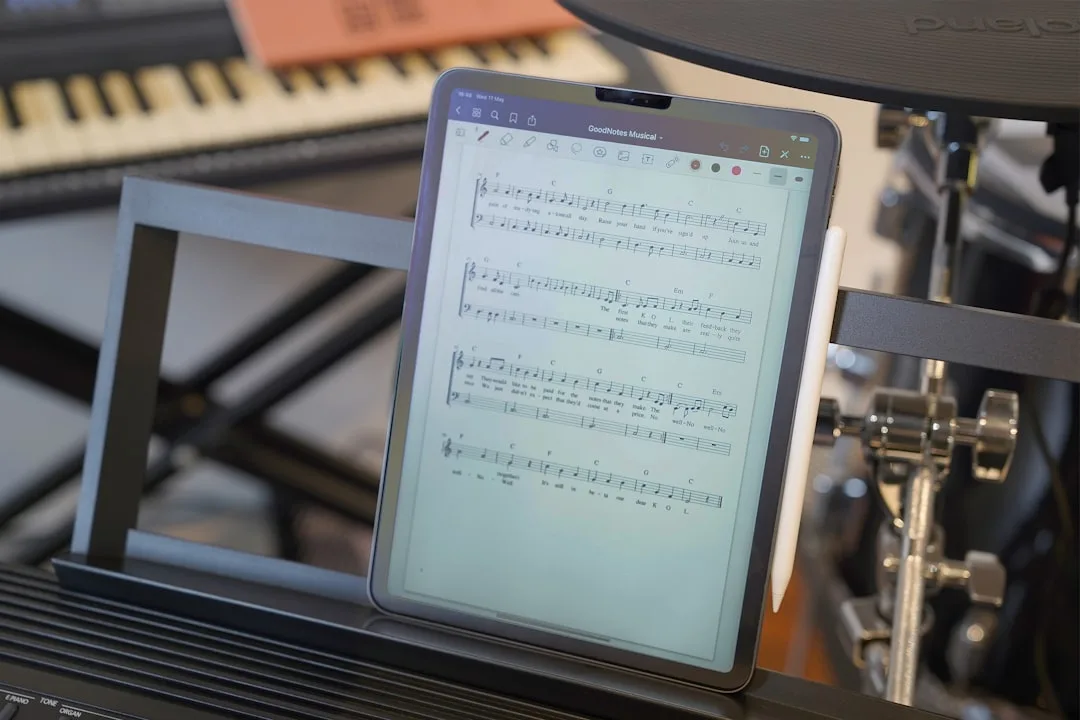
The Newzik Education solution allows schools to centralize their entire sheet music library on a single platform. Teachers can create their own folders, share annotations with their students, and ensure consistency in teaching from one year to the next. The sheet music remains accessible on iPad, iPhone, and viathe Newzik web app, covering use cases in computer labs.
Teaching Notes
Pens, highlighters, musical symbols, free-form text: all the tools a teacher needs for rehearsals or one-on-one lessons.
Instant sharing
Send an annotated score to a student or an entire section in just a few seconds, without using an external messaging service.
Offline operation
Downloaded sheet music remains accessible even without an internet connection, which is essential in practice rooms.
Job security
Users have reported no interruptions during rehearsals or concerts, even when playing large files.
Newzik also incorporates artificial intelligence features for transcription and transposition. The page dedicated to transposing sheet music within the app explains how a teacher can adapt a score to a beginner student’s vocal range in just a few seconds, without the need for separate notation software.
Comparison of the leading sheet music apps for music education
Four apps dominate the market for digital sheet music for professional musicians and teachers: Newzik, forScore, MobileSheets, and UnrealBook. They differ in terms of the operating systems they support, the depth of their collaborative tools, and their pricing models.
Platform
- Newzik: iOS, Web
- forScore: iOS only
- MobileSheets: Android, Windows
Real-time sharing (together)
- Newzik: Yes (Newzik Ensemble)
- forScore: Limited
- MobileSheets: No
Multi-user education account
- Newzik: Yes
- forScore: No
- MobileSheets: No
Integrated transposition
- Newzik: Yes (AI)
- forScore: No
- MobileSheets: No
Offline mode
- Newzik: Yes
- forScore: Yes
- MobileSheets: Yes
Non-destructive annotations
- Newzik: Yes
- forScore: Yes
- MobileSheets: Yes
Origin
- Newzik: France
- forScore: United States
- MobileSheets: United States
forScore remains the go-to app on iOS for solo musicians, but the lack of institutional accounts and real-time sharing limits its usefulness in a music school where multiple instructors work on the same sheet music. MobileSheets is designed for Android and Windows users, which may be suitable for certain contexts but excludes the iPad environments that are prevalent in French institutions.
Newzik stands out for its ability to function as a collaborative tool. Its "Ensemble" feature, described on the orchestral sheet music app page, replicates in an educational setting what professional orchestras use during rehearsals: a conductor or teacher who guides all participants through the score at the same time.
For an in-depth comparison between Newzik and MobileSheets, the Newzik vs. MobileSheets page details the functional differences across 15 criteria.
How are digital annotations transforming music classes?
Digital annotations on sheet music are a valuable alternative to pencil, allowing users to correct, erase, compare, and share without damaging the original document. In a music conservatory, this capability changes the dynamic between teacher and student: corrections become visible, traceable, and reproducible from one lesson to the next.
A piano teacher working on a Beethoven sonata can provide verbal feedback on phrasing during the lesson, record these corrections directly in Newzik, and send the annotated version to the student before the end of the session. The student can then access the exact same notes at home on their own device.
Research in music education (Journal of Research in Music Education, 2023) shows that persistent visual annotations improve the retention of technical corrections among instrumentalists under the age of 18. Students who review their annotated scores between lessons make progress on the targeted passages 23% faster, on average, than those who work from a blank score.
Key takeaways
- Newzik annotations are non-destructive: the original score remains intact at all times.
- A teacher can overlay multiple layers of corrections by color or by date.
- Sharing an annotated sheet music with a student takes less than 10 seconds using Newzik Ensemble.
For schools that use tablets in the classroom, the page on how to annotate sheet music on an iPad outlines the tools available in Newzik, along with practical examples of how they can be used in the classroom.
Digital annotation also benefits students working independently. A student can write their own questions on the score before class, and the teacher can respond directly in the same file. This asynchronous dialogue on the score compensates for the lack of weekly lessons at some rural conservatories where class sessions are spaced far apart.
How do you implement a sheet music app at a music conservatory?
Deploying a sheet music application in a music school requires addressing three practical issues: available hardware, license management, and the migration of existing libraries.
Most French music conservatories have a fleet of iPads purchased as part of local governments’ digital transformation plans (the France 2030 plan, which has a budget of 30 billion euros, a portion of which is earmarked for arts education). These devices are natively compatible with Newzik, available onthe Newzik App Store without any complex setup.
License management is handled through an administrator account, which grants access to faculty members. Each professor manages their own library, but the administrator can create shared folders accessible to all faculty members within the same department. This structure aligns with the practices of conservatories, which organize their collections by level (introductory, undergraduate, graduate) or by instrument (strings, winds, keyboards, percussion).
Migrating an existing library of PDF files is a major concern for IT managers. Newzik supports batch imports from cloud storage (iCloud, Google Drive, Dropbox). A music library that already has its sheet music in PDF format can import them without having to re-enter the data. MusicXML files from Sibelius, Finale, or MuseScore can also be imported directly.
3 Steps
To implement Newzik at a music conservatory: create an education account, import the existing PDF library, and assign access by department or by teacher.
Teacher training is quick and easy. Newzik is designed to be mastered in less than an hour. The interface is familiar to iPad users, featuring intuitive gestures. Training resources are available directly through the education account. For schools interested in learning more about the full suite of features, the page titled “The Most Comprehensive Sheet Music App for Professionals” details all available features.

What musicians and teachers have to say
Newzik has received a 5/5 rating based on 5 verified reviews from professional musicians and teachers. Here are their testimonials.
"An excellent app for sheet music. I'm a professional musician and teacher, and I use it every day. It runs smoothly and offers plenty of options for annotations. And for my lessons, I have my entire library right in my pocket (or almost). I highly recommend it!"
— Franck Paque, professional musician and teacher
★★★★★ 5/5
"PROFESSIONAL! An app that never crashes and does everything you need to work like a pro. Perfect in every way, from music education to live performance. Well done, and thank you to the developers at the Newzik team!"
— Gilles Wilhelm, professional musician
★★★★★ 5/5
"As a daily user of the French app NEWZIK for reading and annotating sheet music, I highly recommend it: whether for orchestras, chamber music, or educational settings… the app is updated very regularly and always for the better! Long live NEWZIK!"
— David NICOLAS, professional musician
★★★★★ 5/5
"My go-to sheet music app for years! As a professional musician, I’m very satisfied with Newzik’s user-friendliness, features, and stability. As an early adopter, I’ve seen it evolve (always for the better!) and I highly recommend it to all musicians—both professional and amateur—who are looking for the best solution for reading sheet music on a tablet."
— Ez, professional musician
★★★★★ 5/5
"I've been a Newzik user and tester since the very beginning. I've had the pleasure and joy of watching this app evolve and reach levels of perfection I never thought possible. I use it EVERY DAY. The Newzik team is young, dynamic, and very responsive when issues arise. I can only encourage you to give it a try... and you’ll love it."
— Danimperator Dan, orchestral guitarist and solo musician
★★★★★ 5/5
Frequently Asked Questions
Does Newzik work without an internet connection in the practice rooms?
Yes. Newzik stores sheet music locally on the device after it is downloaded. Teachers and students can access their entire library without a Wi-Fi connection, which is ideal for instrument practice rooms with limited network coverage.
Can a music school import its existing PDF sheet music into Newzik?
Yes. Newzik supports importing PDF and MusicXML files, as well as files from Sibelius, Finale, and MuseScore. Batch importing from iCloud, Google Drive, or Dropbox allows you to migrate an existing library without having to re-enter data manually.
What is the difference between Newzik and forScore for educational use?
forScore is an iOS app that does not offer institutional accounts or real-time sharing among multiple users. Newzik provides a multi-user Education plan and the "Ensemble" feature, which allows a teacher to synchronize navigation through a score with all their students at the same time. For a comprehensive comparison, see the page on the best alternatives to forScore.
Can students see a teacher's comments in Newzik?
A teacher can share a score with annotations with a specific student or a group via Newzik Ensemble. The annotations are non-destructive: the original score remains unchanged, and the student sees the layer of corrections superimposed on their own device.
Does Newzik offer special pricing for music schools?
Yes. Newzik offers an Education plan designed for conservatories, music schools, and arts education institutions. This plan includes an administrator account, group licenses for faculty, and access to all professional features.
On which devices does Newzik work in a music conservatory?
Newzik works on iPad, iPhone, and via a web browser on a computer. This multi-device compatibility allows schools to equip teachers with iPads and provide students with access via the web from existing computer labs.
How long does it take to train a teacher at Newzik?
It takes less than an hour for users familiar with iPads to get the hang of Newzik. The interface uses standard iOS gestures. Training resources are available through the education account, and the Newzik team is responsive in supporting institutional rollouts.
References:
All resources
Is your music school looking for a sheet music app suitable for music education?








.png)
.jpg)
.png)


.png)
Subscribe to our newsletter