
What sheet music app is best for music students?

Table of Contents
What is a sheet music app for students?
A sheet music app is software that displays, organizes, and annotates digital sheet music on a tablet or computer, replacing a music student’s paper binders. Newzik is one such app, featuring a centralized library and stylus-based annotation tools.
A music student quickly accumulates a large volume of materials: technical exercises, required pieces, orchestral scores, and chord charts. The digital format solves a practical problem. A library of several hundred pieces fits on a single iPad, instead of bags full of sheet music carried back and forth between the conservatory and home.
These apps import PDF files, as well as MusicXML files, a standard format that describes each note. Newzik reads MusicXML, which allows the app to transpose and play back the sheet music. The Newzik blog explains in detail how augmented sheet music differs from a simple scan.
Most students discover these tools on the iPad, which remains the go-to device for reading sheet music because its screen size is close to A4 format. The choice of model matters, as explained in this guide to iPads suited for music. The goal remains the same: to access all your sheet music, mark it up, and find it in a matter of seconds.
What criteria should you use to choose a sheet music app when you're learning to play an instrument?
A music student should consider five factors: stylus annotation, hands-free page turning, library organization, score sharing, and price. Newzik combines these five features into a single French app.
Precise annotation
Fingering, breathing, and bow strokes with a stylus, without damaging the original document.
Hands-Free Page Turner
Bluetooth pedal or audio detection—essential for playing without letting go of your instrument.
Organized Library
Research, files, and to-do lists to help you find a song during a lesson.
Share
Sending game records to a partner or a teacher.
Price is the last consideration, but it’s a major factor in a student’s budget. Newzik offers a free version that includes importing and annotation features, allowing you to test the tool before subscribing. Stability is just as important: an app that crashes in the middle of an exam is useless. To learn more about annotations, lyrics, and chords, Newzik describes its method in this article on annotations and chords. Students who play in an ensemble will also benefit from checking out the features for sharing sheet music with the group.
Why is grading so important for a student?
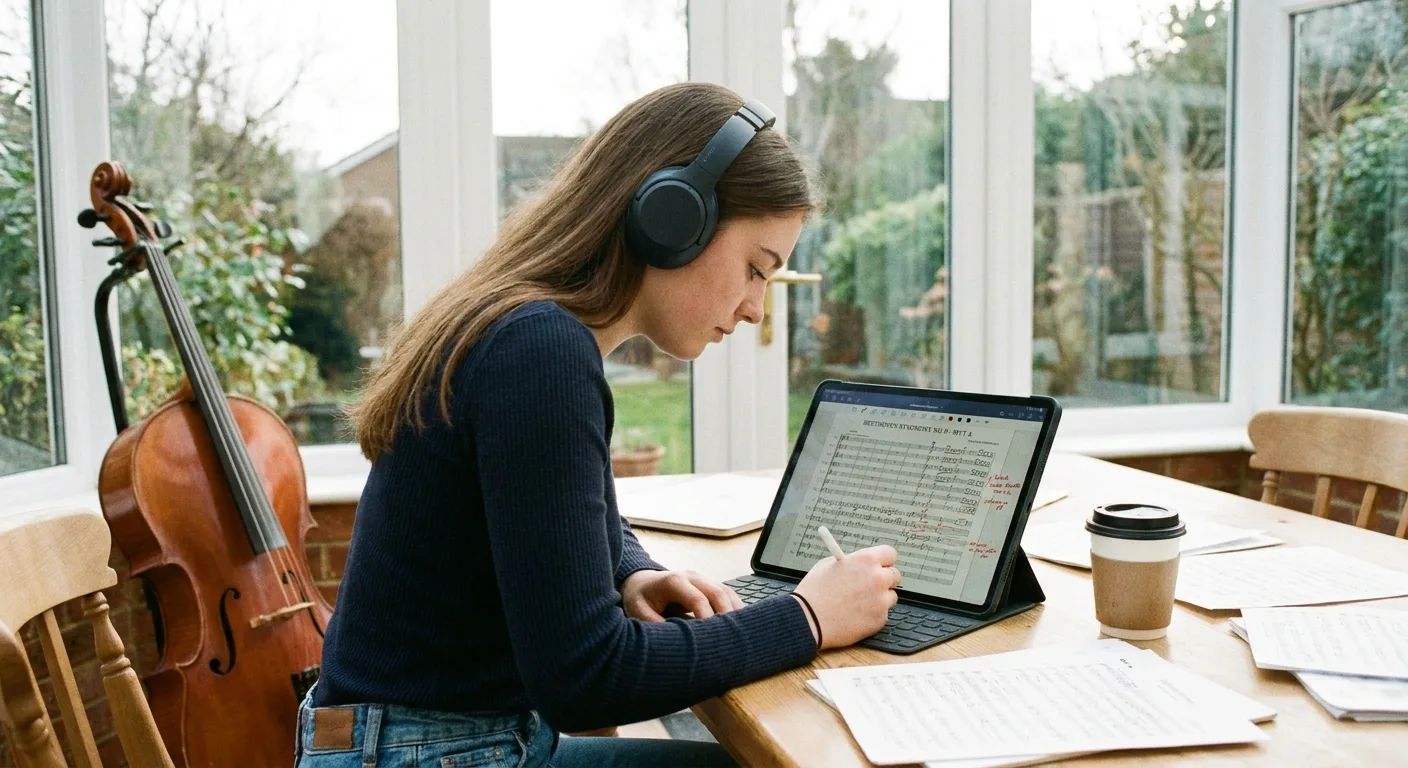
Annotation is crucial because music students make changes to their sheet music during every lesson: fingering, dynamics, corrections from the teacher, and practice notes. Newzik lets you annotate directly on the sheet music using the Apple Pencil, with a layer that preserves the original document.
On paper, an annotated score quickly becomes illegible after several readings. Digital technology solves this problem: you can erase, move, or change colors without using an eraser or making cross-outs. Newzik preserves every annotation associated with a measure, even if the score is transposed or redisplayed in a different layout.
A violin or piano student notes bow strokes, pedal marks, and breathing marks. A singer adds a translation of the lyrics in Italian or German. This guide on how to annotate sheet music on an iPad explains in detail how to use a stylus on the iPad.
MusicXML
An open standard format read by Newzik, which enables annotation linked to notes and transposition (MusicXML specification, W3C Music Notation Community Group).
The note-taking feature is what sets a music app apart from a simple PDF reader. For a student preparing for an exam, being able to see all of a teacher’s corrections at a glance saves a lot of time when reviewing. Newzik syncs these annotations between the iPad and other devices linked to the account.
Is a free sheet music app enough for a student?
The free version is enough to read and annotate sheet music, but advanced features such as cross-device synchronization or audio playback often require a subscription. Newzik offers a fully featured free mode to get started and a subscription for more advanced use.
For a student just getting started with digital technology, the fact that it’s free removes the main barrier. Importing PDFs, organizing them, and annotating them with a stylus—these basic functions are available at no cost. This allows students to see if switching to a tablet suits their needs before making a purchase.
Paid features are designed to meet specific needs. Synchronization between iPad, iPhone, and Mac helps students who work both in class and at home. Audio playback paired with the sheet music, or audio-matching—which turns the pages as you listen to the audio—are examples of more advanced uses described in this article on the audio-matching page turner.
Key takeaways
- The free version of Newzik includes import, sorting, and annotation with a stylus.
- An iPad remains the most suitable device thanks to its screen, which is close to A4 size.
- The MusicXML format enables transposition and note-related annotations.
Students can therefore get started for free and then switch to a subscription as their needs grow. Since Newzik is a French app, support and updates are provided within a European framework, which is a plus when it comes to personal data protection.
Comparison of Sheet Music Apps for Students
The leading sheet music apps for students are Newzik, forScore, Piascore, and MobileSheets, which differ in terms of price, MusicXML support, and collaborative features. Newzik is the only one that combines a free version, a MusicXML engine, and ensemble sharing.
Free version
- Newzik: Yes
- forScore: No (one-time purchase)
- Piascore: Yes
Reading MusicXML
- Newzik: Yes
- forScore: Limited
- Piascore: No
Annotation with a stylus
- Newzik: Yes
- forScore: Yes
- Piascore: Yes
Set Partitioning
- Newzik: Yes
- forScore: No
- Piascore: Limited
Platforms
- Newzik: iPad, iPhone, Mac, Web
- forScore: iPad, iPhone
- Piascore: iPad, iPhone
forScore remains a long-standing favorite on the iPad, with a one-time purchase and a large community. Newzik stands out thanks to its free version and collaborative sharing features—two major advantages for students. Details can be found in this comparison of the best alternatives to forScore and in this head-to-head comparison of Newzik versus Piascore. The choice depends on your profile: a solo pianist and a student who plays in an orchestra don’t have the same priorities.
Which music notation app is used at the conservatory?
At music conservatories, a sheet music app must manage ensemble repertoires, distribution among sections, and collaborative annotations by conductors and teachers. Newzik is used in educational settings for chamber music, orchestra, and group lessons.
A conservatory student goes from a private lesson to an orchestra rehearsal on the same day. The app needs to keep up with this pace: open the right score, display the teacher’s annotations, and share a reduced score with a duet partner. Newzik centralizes these documents on a single device, preventing scores from being left behind.
Preparing for an entrance exam also requires a well-organized repertoire. This guide to preparing for conservatory entrance exams details the expectations of the juries. For teachers, the tools described in this article on managing group classes can help with organizing group lessons.
For educational institutions, Newzik offers a detailed, dedicated approach on its Education page and in this guide on sheet music apps for music conservatories. Group use is facilitated by the Ensemble feature, which synchronizes sheet music and annotations among group members. This allows students to use the same tool as their teachers, simplifying communication throughout their studies.
What Our Customers Say
Newzik has an average rating of 5.0/5 based on 5 verified reviews, several of which are from professional musicians and teachers.
"An excellent app for sheet music. I'm a professional musician and teacher, and I use it every day. It runs smoothly and offers plenty of options for annotations. And for my lessons, I have my entire library right in my pocket (or almost). I highly recommend it!"
— Franck Paque, professional musician and teacher
★★★★★ 5/5
"PROFESSIONAL! An app that never crashes and does everything you need to work like a pro. Perfect in every way, from music education to live performance. Well done, and thank you to the developers at the Newzik team!"
— Gilles Wilhelm
★★★★★ 5/5
"As a daily user of the French app NEWZIK for reading and annotating sheet music, I highly recommend it: whether for orchestras, chamber music, or educational settings… the app is updated very regularly and always for the better! Long live NEWZIK!"
— David NICOLAS
★★★★★ 5/5
"My go-to sheet music app for years! As a professional musician, I’m very satisfied with Newzik’s user-friendliness, features, and stability. As an early adopter, I’ve seen it evolve (always for the better!) and I highly recommend it to all musicians—both professional and amateur—who are looking for the best solution for reading sheet music on a tablet."
— Ez
★★★★★ 5/5
Frequently Asked Questions
Is Newzik free for music students?
Yes, Newzik offers a free version that includes PDF import, organization, and pen annotation. Advanced features, such as cross-device synchronization, require a subscription.
Which device should you choose for reading sheet music?
The iPad remains the most suitable device thanks to its screen, which is close to A4 size. Newzik works on iPad, iPhone, Mac, and the web, allowing you to work across multiple devices.
Can you turn the pages without using your hands?
Yes, Newzik supports Bluetooth pedals and audio matching, which turns the page as you play. This feature is useful for playing without putting down your instrument during a lesson or exam.
Is Newzik suitable for music school?
Yes, Newzik is used in educational settings for orchestra, chamber music, and group lessons. Its "Ensemble" feature synchronizes sheet music and annotations between students and teachers.
Can you transpose a score in the app?
Yes, Newzik transposes sheet music imported in MusicXML format, a format that describes each note. This feature helps singers and instrumentalists transpose a piece to fit their range.
Are the annotations saved?
Yes, Newzik saves every annotation associated with a measure, even after transposition or re-display. These annotations sync across all devices linked to the account, making it easier to review material before an exam.
Sources: MusicXML 4.0 specification (W3C Music Notation Community Group), Ministry of National Education — Music Education.
All resources
Ready to store all your student sheet music on a single iPad?








.png)
.jpg)
.png)


.png)
Subscribe to our newsletter