
Newzik or MuseScore: Which Tool Should You Choose?

Table of Contents
What is the difference between Newzik and MuseScore?
Newzik is a music score app designed for reading, annotating, and performing on a tablet, while MuseScore is music notation software used for composing and printing scores. Both are related to the world of sheet music, but serve opposite purposes.
MuseScore, launched in 2002 by Werner Schweer, is a free and open-source music notation editor. You can enter a piece note by note and export it as a PDF, MIDI, or MusicXML file. It is a composition tool, comparable to Sibelius or Finale, used by composers and arrangers.
Newzik, developed since 2015 by a French team, tackles the problem from the opposite angle: the musician already has their sheet music (PDFs, scans, MusicXML) and wants to play it. The app imports an entire library, lets you turn pages with your foot or voice using audio matching, and allows for handwritten annotations on the iPad. Newzik is designed for performers who take the stage, not for those who compose music.
The confusion stems from the word “score.” MuseScore creates it; Newzik reads it and plays along with it. A guitarist in a pop band will use Newzik for his hundreds of songs, while a teacher will write an exercise in MuseScore before importing it into Newzik. The two complement each other more than they compete, as explained in our guide to the best apps for reading and managing sheet music.
Newzik vs. MuseScore: A Comparison Chart
Newzik has the edge in hands-free playback, annotation, and page turning; MuseScore comes out on top for composing and notating sheet music. The table below summarizes the differences in the criteria that matter to musicians in 2026.
Primary Use
- Newzik: Read, annotate, play
- MuseScore: Compose, Notate
Platforms
- Newzik: iPad, iPhone, Mac, web
- MuseScore: Windows, Mac, Linux, mobile
Import PDF
- Newzik: Yes, unlimited library
- MuseScore: Limited (read-only)
Handwritten annotation
- Newzik: Yes, Apple Pencil
- MuseScore: No
Hands-Free Page Turner
- Newzik: Yes (audio + pedal)
- MuseScore: No
Set Partitioning
- Newzik: Yes, synchronized
- MuseScore: Via File Export
Price
- Newzik: Free + Premium Subscription
- MuseScore: Free (software)
5.0/5
Average rating on Newzik based on 5 verified reviews (2026)
Which app should I choose for reading and playing sheet music?
For reading and playing sheet music on a tablet, Newzik is better suited than MuseScore thanks to its audio page-turning feature, its ability to manage large libraries, and its performance mode. MuseScore displays the sheet music it has created, but it is not designed for live performance.
Newzik features audio matching: the app listens to what you’re playing and turns the page at just the right moment, without a pedal. If your hands are full, you can still use a Bluetooth pedal. This system relies on real-time listening, as explained in our article on how audio matching and automatic page turning work.
Library management also makes a difference. A musician in a pop band can store hundreds of sheet music files and sound effects in Newzik, complete with setlists, search, and sorting features. MuseScore opens its own files one by one and lacks a directory structure designed for live performances.
MuseScore has one advantage: it plays a note-by-note synthetic audio rendition of what’s written, which is useful for checking a composition. But when it comes to performing a real concert yourself with a demanding repertoire, Newzik takes the lead. For more information, check out our comparison of the most comprehensive sheet music apps for professionals.

How do you annotate sheet music on Newzik and MuseScore?
Newzik lets you annotate a score by hand using the Apple Pencil, adding fingering, color markers, and text notes, whereas MuseScore does not offer freehand annotation. This is a major difference for an instrumentalist's day-to-day work.
On Newzik, a pianist can write fingering directly above the notes, a conductor can highlight entry points, and a singer can add breathing marks. The annotations are saved and synced across all devices. The step-by-step process is described in our guide to annotating sheet music on an iPad.
MuseScore works differently: you edit the score directly in the source file. You can add fingering as notation elements, but you have to do so through the editor, which isn't practical for quick annotations during a rehearsal. MuseScore does not draw on imported PDF scans.
Newzik also manages annotation layers: the original sheet music remains intact, and annotations are overlaid on top of it. This non-destructive approach appeals to teachers who lend out their sheet music. Franck Paque, a professional musician and teacher, highlights “plenty of possibilities for annotations.” To combine lyrics, chords, and annotations, learn how to work with Newzik.
Key takeaways
- Newzik was launched in 2015 for reading and annotating sheet music, and MuseScore in 2002 for composing.
- Newzik supports handwritten annotations with the Apple Pencil; MuseScore does not.
- Newzik's audio page-turner frees up both hands—a feature not available in MuseScore.
How much do Newzik and MuseScore cost?
MuseScore is completely free and open-source software, while Newzik offers a free version along with a Premium subscription for advanced features. Be careful not to confuse the MuseScore software with the paid website MuseScore.com, which sells sheet music.
The MuseScore notation software, licensed under the GPL, has been free since its creation in 2002. Downloading sheet music from the MuseScore.com platform, however, requires an annual subscription. There are therefore two separate products with the same name.
Newzik is free to install and lets you import sheet music, play it back, and annotate it. The Premium subscription unlocks the unlimited library, advanced audio matching, and extended synchronization. The freemium model lets you try the app before paying, which puts the minds of hesitant musicians at ease.
The real consideration isn't just financial. The free version of MuseScore isn't a replacement for Newzik when it comes to live performances, and Newzik doesn't let you compose. Many musicians use both: MuseScore for creating, Newzik for playing. This topic of cost and choice is also covered in our guide to the best alternative to forScore. MuseScore's open-source licenses are detailed by the Free Software Foundation.
Which tool is best for an orchestra or a music school?
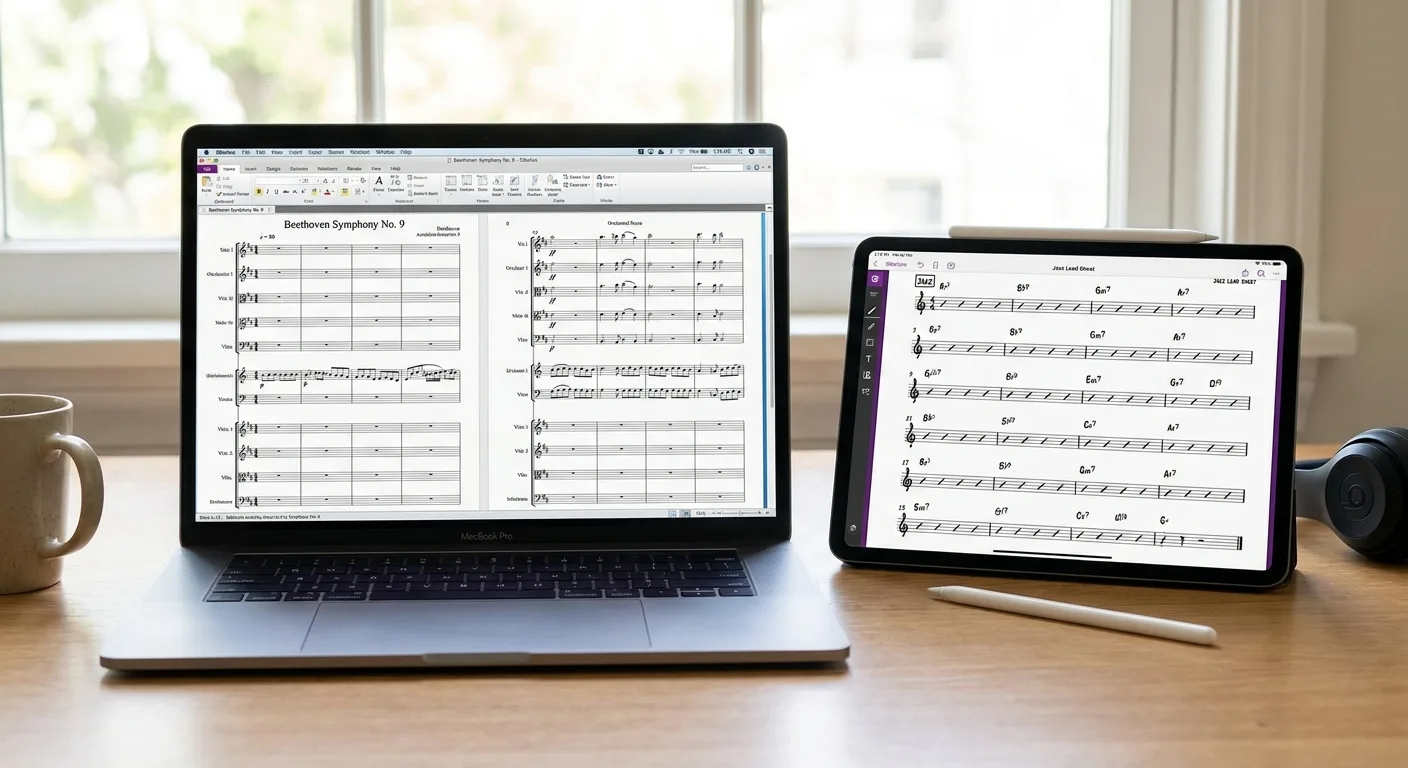
For an orchestra or music school, Newzik is better suited than MuseScore because it allows you to share, synchronize, and annotate sheet music as a group in real time. MuseScore is still useful in the early stages for preparing arrangements.
Newzik offers an ensemble mode: the conductor distributes the sheet music to all sections, each musician receives their part, and annotations can be shared instantly. This feature is highlighted on the Newzik page dedicated to ensembles and explained in detail in our article on sharing sheet music in an ensemble.
In a school or conservatory, the key issue is centralization. A teacher manages their library, distributes sheet music to their classes, and collects students’ annotations. Newzik is used in this educational setting, as David Nicolas confirms: “Orchestra, chamber music, educational settings… the app is updated very regularly.” This topic is explored in greater depth on our Newzik for Education page.
MuseScore, on the other hand, is used by conductors or arrangers to write individual parts before exporting them as PDF or MusicXML files. These files are then imported into Newzik for distribution and performance. How to organize a large shared library is explained in our guide to choosing the best sheet music app for orchestras. The role of digital tools in learning is also analyzed by the French Ministry of National Education.
What Newzik Users Are Saying
Newzik has an average rating of 5.0/5 based on 5 verified reviews posted by professional musicians and teachers.
"I've been a Newzik user and tester since the very beginning. I've had the pleasure and joy of watching this app evolve and reach levels of perfection I never thought possible. I use it EVERY DAY. The Newzik team is young, dynamic, and very responsive when issues arise. I can only encourage you to give it a try... and you'll love it. I play in a pop band (on guitar with hundreds of sheet music files and backing tracks...) I also perform solo using an Akai Ewi 5000 wind controller + Xpresso expander in classical, pop, folk, and jazz genres...) I am sincerely grateful to Newzik for creating and putting this extraordinary app in my hands."
— Danimperator Dan
★★★★★ 5/5
"An excellent app for sheet music. I'm a professional musician and teacher, and I use it every day. It runs smoothly and offers plenty of options for annotations. And for my lessons, I have my entire library right in my pocket (or almost). I highly recommend it!"
— Franck Paque
★★★★★ 5/5
"PROFESSIONAL! An app that never crashes and does everything you need to work like a pro. Perfect in every way, from music education to live performance. Well done, and thank you to the developers at the Newzik team!"
— Gilles Wilhelm
★★★★★ 5/5
"My go-to sheet music app for years! As a professional musician, I’m very satisfied with Newzik’s user-friendliness, features, and stability. As an early adopter, I’ve seen it evolve (always for the better!) and I highly recommend it to all musicians—both professional and amateur—who are looking for the best solution for reading sheet music on a tablet."
— Ez
★★★★★ 5/5
"As a daily user of the French app NEWZIK for reading and annotating sheet music, I highly recommend it: whether for orchestras, chamber music, or educational settings… the app is updated very regularly and always for the better! Long live NEWZIK!"
— David Nicolas
★★★★★ 5/5
Frequently Asked Questions
Can Newzik and MuseScore be used together?
Yes, the two complement each other. You write a score in MuseScore, export it as a PDF or MusicXML file, and then import it into Newzik to view, annotate, and perform it on stage.
Can Newzik create sheet music like MuseScore?
No, Newzik is not a composition program. It is used to import, view, annotate, and play existing sheet music. To notate a piece note by note, MuseScore is still the best tool for the job.
Which music sheet music app is best for live performances?
Newzik is designed for live performances, with its audio page-turner, Bluetooth footswitch, and setlist management. MuseScore, which is geared toward composition, does not offer these performance features.
Is Newzik free?
Newzik is free to install and lets you import, view, and annotate sheet music. A Premium subscription unlocks the unlimited library and advanced audio matching.
Does MuseScore work on the iPad like Newzik does?
MuseScore offers a mobile app, but it is primarily designed for viewing sheet music from the MuseScore.com website. Newzik is natively designed for the iPad, with support for the Apple Pencil and hands-free page turning.
Can you share orchestral sheet music with Newzik?
Yes, Newzik offers a ensemble mode that distributes the scores to each part and synchronizes annotations in real time. MuseScore only allows sharing by exporting separate files.
Which app should you choose for annotating your sheet music?
For handwritten annotations during a rehearsal, Newzik is the right choice thanks to the Apple Pencil and non-destructive layers. MuseScore does not offer free-form handwritten annotations on a PDF.
All resources








.png)
.jpg)
.png)


.png)
Subscribe to our newsletter