
How do I use a Bluetooth page turner with a sheet music app?

Table of Contents
What is a Bluetooth page turner for sheet music?
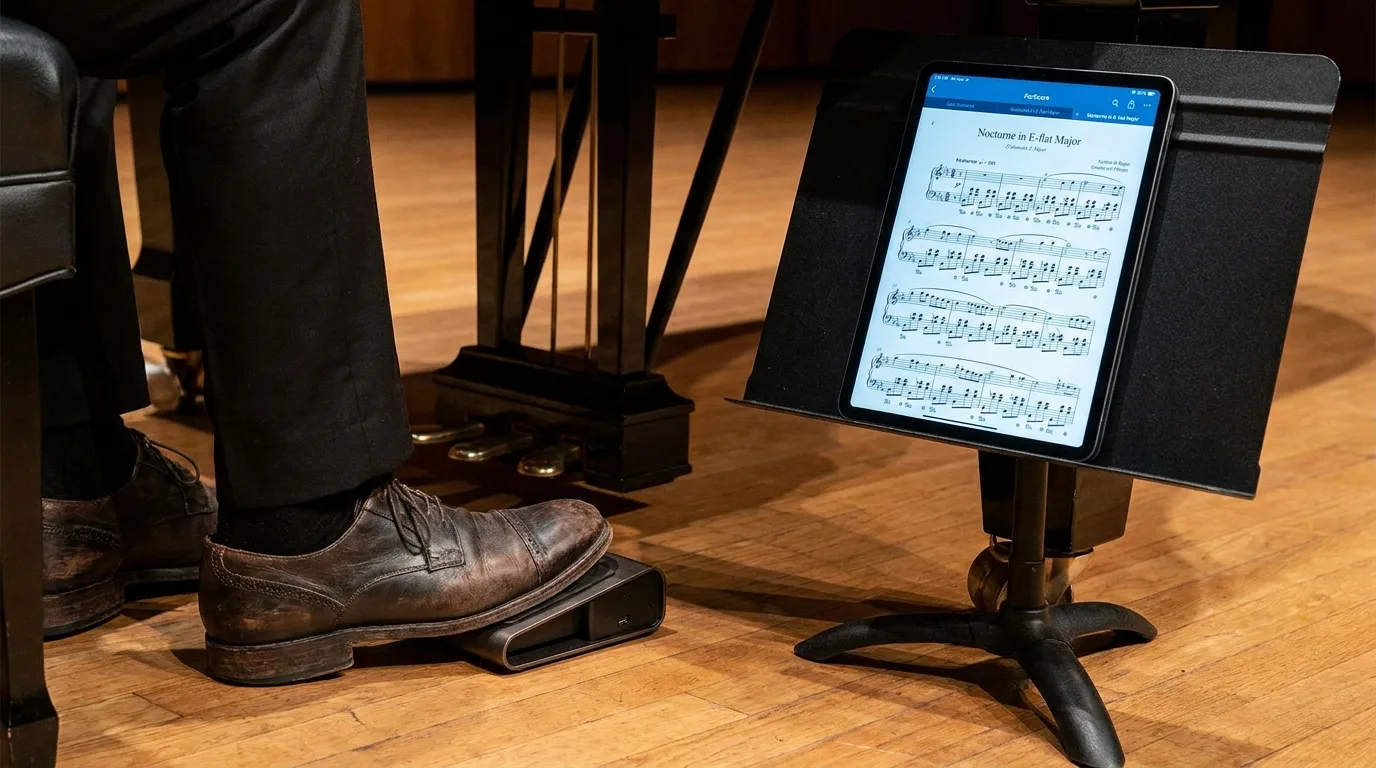
A Bluetooth page turner is a wireless foot pedal that allows musicians to turn the pages of a digital sheet music score with their foot by connecting it to a sheet music app such as Newzik on an iPad. The musician presses a pedal to move to the next page or go back, without putting down their instrument. The device communicates with the tablet using the Bluetooth Low Energy (BLE) standard, which was standardized in 2010 by the Bluetooth Special Interest Group.
This type of accessory addresses a real-world problem faced by musicians who play with both hands, such as pianists, guitarists, and violinists. With a paper score, turning a page requires stopping to play. With Newzik and a Bluetooth page turner, the action becomes automatic and unobtrusive during a concert or rehearsal.
Most pedal boards on the market come in sets of two or four pedals. Each pedal sends a command that the app recognizes. The industry's long-standing brands, AirTurn (founded in 2008) and PageFlip, dominate this niche market aimed at musicians who use tablets.
450 000
Musicians use Newzik to view and annotate their digital sheet music (Newzik data, 2026)
How do I connect a Bluetooth page turner to a sheet music app?
To connect a Bluetooth page turner to Newzik, turn on Bluetooth on your iPad, put the page turner into pairing mode, and then select it from the list of detected devices in the iOS settings. The process takes less than two minutes and only needs to be done once per device. Once paired, the page turner automatically reconnects every time you open the sheet music app.
Here are the steps to pair your pedal set with Newzik on your iPad:
- Turn on the Bluetooth page turner and check its battery level.
- Open the iOS Settings app, then go to the Bluetooth section, and turn it on.
- Set the pedal set to pairing mode (often by holding down a pedal for a few seconds).
- Select the name of the pedal set from the list of available devices.
- Open Newzik: The page turner works immediately in Bluetooth keyboard mode.
Most page turners function like an external Bluetooth keyboard. They send keystrokes—usually the arrow keys or the “Next Page” and “Previous Page” keys. Newzik interprets these signals as navigation commands. Some models offer multiple key modes, which can be selected using a combination of pedals when the device is turned on. To learn more about reading your digital sheet music on a tablet, check out our guide on how to annotate sheet music on an iPad.
Which Bluetooth page-turning devices are compatible with Newzik?
Newzik is compatible with all Bluetooth page-turning devices that operate in keyboard mode, including the AirTurn (BT200, Duo 500, Quad) and PageFlip (Cicada, Firefly, Butterfly) lines. These foot controllers account for the bulk of the market for tablet accessories for musicians. Since they emulate a standard keyboard, they integrate seamlessly—without the need for a specific driver—into the Newzik sheet music app on the iPad.
AirTurn BT200S-2
- Number of pedals: 2
- Estimated battery life: ~100 hours of use
- Compatible with Newzik: Yes
AirTurn Duo 500
- Number of pedals: 2
- Estimated battery life: ~200 hours of use
- Compatible with Newzik: Yes
PageFlip Firefly
- Number of pedals: 2
- Rated battery life: AAA batteries
- Compatible with Newzik: Yes
PageFlip Butterfly
- Number of pedals: 4
- Rated battery life: AAA batteries
- Compatible with Newzik: Yes
The choice of model depends on how you plan to use it. A two-pedal set is sufficient for moving forward and backward through a score. A four-pedal model allows you to add additional functions, such as skipping to the next piece in a set. Pianists and organists often prefer silent pedals to avoid noise while recording a concert. Newzik, available on iPad and via a web browser, works with these accessories as long as the tablet recognizes them via Bluetooth.
How do I set up pedals in a sheet music app?
In Newzik, you configure the pedals through the app’s settings, where each pedal can be assigned to a specific action: next page, previous page, or jump to a set. This customization allows you to tailor the page turner to your repertoire and your playing style. A guitarist performing live often configures the right pedal to move forward and the left pedal to move backward.
Most Bluetooth page turners offer several key modes that can be adjusted on the device itself. AirTurn, for example, offers an “arrow” mode and a “Page Up/Down” mode. Newzik recognizes both of these configurations. If the pedals turn the pages in the wrong direction, simply change the pedal mode or reverse the assignment in the app.
Key takeaways
- A two-pedal pedal set covers 95% of your needs: moving forward and backward.
- Bluetooth pairing is required only once per device; reconnection is automatic thereafter.
- Newzik supports the standard keyboard modes for AirTurn and PageFlip.
Newzik goes beyond a simple manual page-turner thanks to its unique features. The audio playback of sheet music lets you play along with yourself, and instant transposition raises or lowers the key without having to reprint the sheet music. These tools complement the convenience of the page-turner to provide a comprehensive solution. To organize your songs before a concert, our guide on set management for musicians details the steps to follow.
Are there any alternatives to the Bluetooth page turner?
Yes, there are several alternatives to the Bluetooth page turner, including the audio-detection page turner and automatic sheet music scrolling—both of which are features available in Newzik. These methods free the musician from having to use any physical accessories. Audio detection, or audio matching, listens to what you’re playing and advances the sheet music at the right moment.
The audio-matching page turner relies on real-time analysis of the instrument's sound. The app tracks your progress through the piece and turns the pages automatically. This technology is ideal for musicians who don't have a free hand to operate a foot pedal. To learn more about how this method works, check out our article on audio matching and the automatic page turner.
Automatic scrolling is a third option. The sheet music scrolls at a preset speed that matches the song’s tempo. This method is suitable for musicians who play at a steady pace. The touch-based page-turning feature—a simple tap on the iPad screen—remains the most basic solution but requires you to put down your instrument. Newzik combines these approaches: Bluetooth pedal, audio matching, and touch gestures all coexist within the same sheet music app. The debate between paper and digital sheet music is explored in depth in our comparison of digital and paper sheet music.
What should you do if your Bluetooth page turner stops responding?
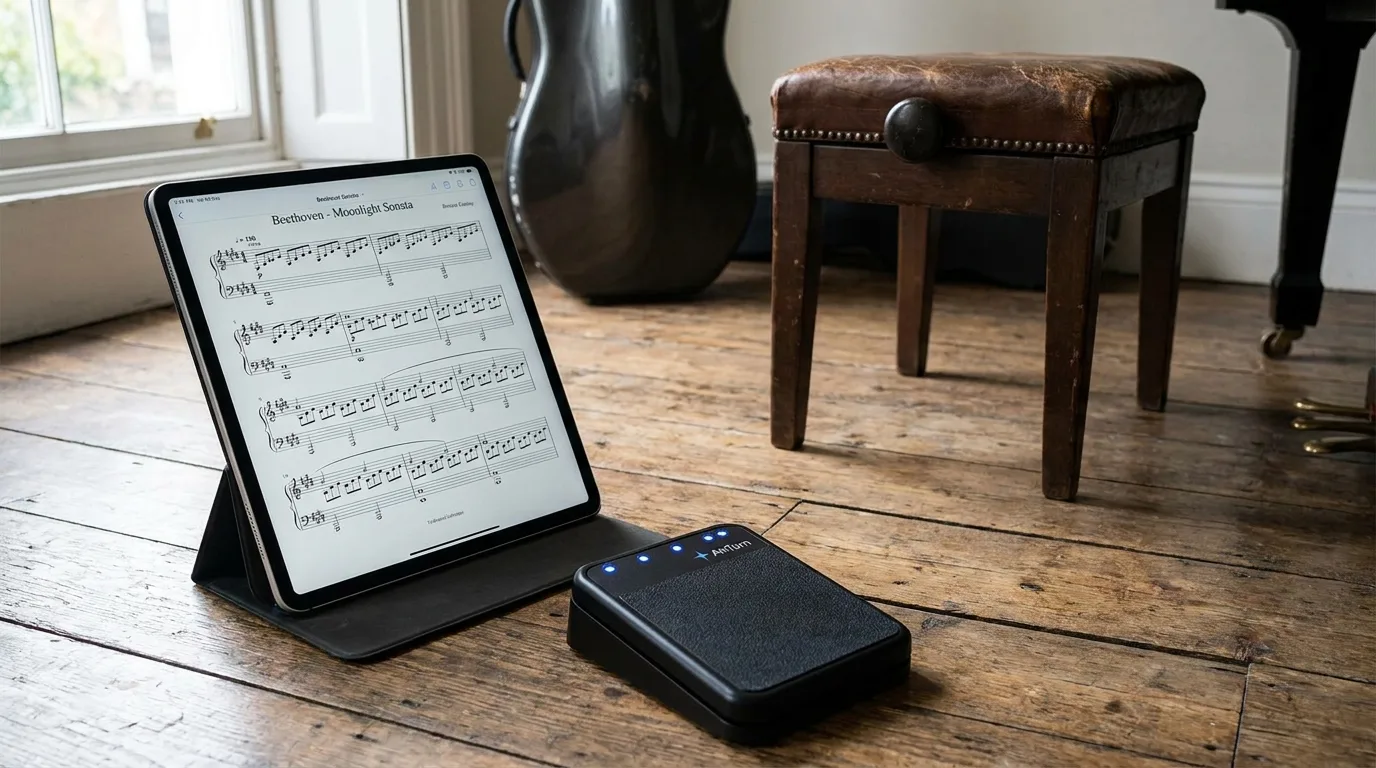
When a Bluetooth page turner stops responding in a sheet music app, the cause is almost always a low battery, a lost Bluetooth connection, or an incorrectly configured key mode. It takes just a few seconds to check, and this resolves most issues before a concert. A pedalboard with a dead battery remains the most common problem reported by musicians.
Here are the steps to follow, in order, with Newzik open on the iPad:
- Check the battery or batteries in the page turner and recharge them if necessary.
- Open the Bluetooth settings on your iPad and make sure the pedal is connected.
- If the device appears as "not connected," forget it and then pair it again.
- Make sure the pedal key mode matches a mode recognized by Newzik.
- Restart the Newzik sheet music app if the problem persists.
A practical tip from Newzik’s partner orchestras: Pair and test your page turner before every performance—never right before going on stage. The distance between the iPad and the pedalboard must be less than ten meters to ensure a stable Bluetooth connection, according to the specifications of the Bluetooth Low Energy standard (Bluetooth SIG). Since Newzik is used by more than 150 musical institutions, including opera houses and conservatories, these reliability best practices are standard professional procedure.
What Our Customers Say
Newzik has an average rating of 5.0/5 based on 5 verified reviews from professional musicians and teachers.
"I've been a Newzik user and tester since the very beginning. I've had the pleasure and joy of watching this app evolve and reach levels of perfection I never thought possible. I use it EVERY DAY. The Newzik team is young, dynamic, and very responsive when issues arise. I can only encourage you to give it a try... and you'll love it. I play in a pop band (on guitar with hundreds of sheet music files and backing tracks...) I also perform solo using an Akai Ewi 5000 wind controller + Xpresso expander in classical, pop, folk, and jazz genres...) I am sincerely grateful to Newzik for creating and putting this extraordinary app in my hands."
— Danimperator Dan
★★★★★ 5/5
"An excellent app for sheet music. I'm a professional musician and teacher, and I use it every day. It runs smoothly and offers plenty of options for annotations. And for my lessons, I have my entire library right in my pocket (or almost). I highly recommend it!"
— Franck Paque
★★★★★ 5/5
"PROFESSIONAL! An app that never crashes and does everything you need to work like a pro. Perfect in every way, from music education to live performance. Well done, and thank you to the developers at the Newzik team!"
— Gilles Wilhelm
★★★★★ 5/5
"My go-to sheet music app for years! As a professional musician, I’m very satisfied with Newzik’s user-friendliness, features, and stability. As an early adopter, I’ve seen it evolve (always for the better!) and I highly recommend it to all musicians—both professional and amateur—who are looking for the best solution for reading sheet music on a tablet."
— Ez
★★★★★ 5/5
"As a daily user of the French app NEWZIK for reading and annotating sheet music, I highly recommend it: whether for orchestras, chamber music, or educational settings… the app is updated very regularly and always for the better! Long live NEWZIK!"
— David NICOLAS
★★★★★ 5/5
Frequently Asked Questions
Does a Bluetooth page turner work with Newzik on the iPad?
Yes, Newzik supports Bluetooth page-turning devices that operate in keyboard mode, such as the AirTurn and PageFlip models. Once the foot controller is paired with the iPad via Bluetooth, it directly controls navigation through the sheet music.
Is Newzik available on Android so I can use a page-turner?
No, Newzik works on the iPad and via a web browser, but not on Android. The Bluetooth page turner is therefore used with the Newzik app on an Apple iPad.
How many pedals does it take to turn the pages of a score?
A two-pedal page turner is sufficient in most cases: one to move forward, one to move backward. Four-pedal models include additional controls that are useful for navigating through a set of multiple songs with Newzik.
Can you scroll through your sheet music without using the pedalboard in Newzik?
Yes, Newzik offers an audio-matching page-turn feature that listens to your playing and automatically advances the score, as well as automatic scrolling and touch gestures. These methods replace the Bluetooth foot pedal when you don't have a free hand.
Does the Bluetooth page turner drain the iPad's battery?
Power consumption related to Bluetooth Low Energy remains very low. The page-turner has its own battery or batteries, and has virtually no impact on the iPad's battery life when using Newzik at a concert.
What should you do if the pedals turn the pages the wrong way?
Change the key mode on the pedalboard or reverse the assignments in the Newzik settings. The AirTurn and PageFlip models offer several keyboard modes that can be selected when the device is turned on.
All resources
Ready to flip through your sheet music with Newzik?









.png)
.jpg)
.png)


.png)
Subscribe to our newsletter