
How do I import a PDF of sheet music into an app?

Table of Contents
What are the steps for importing a PDF of sheet music?
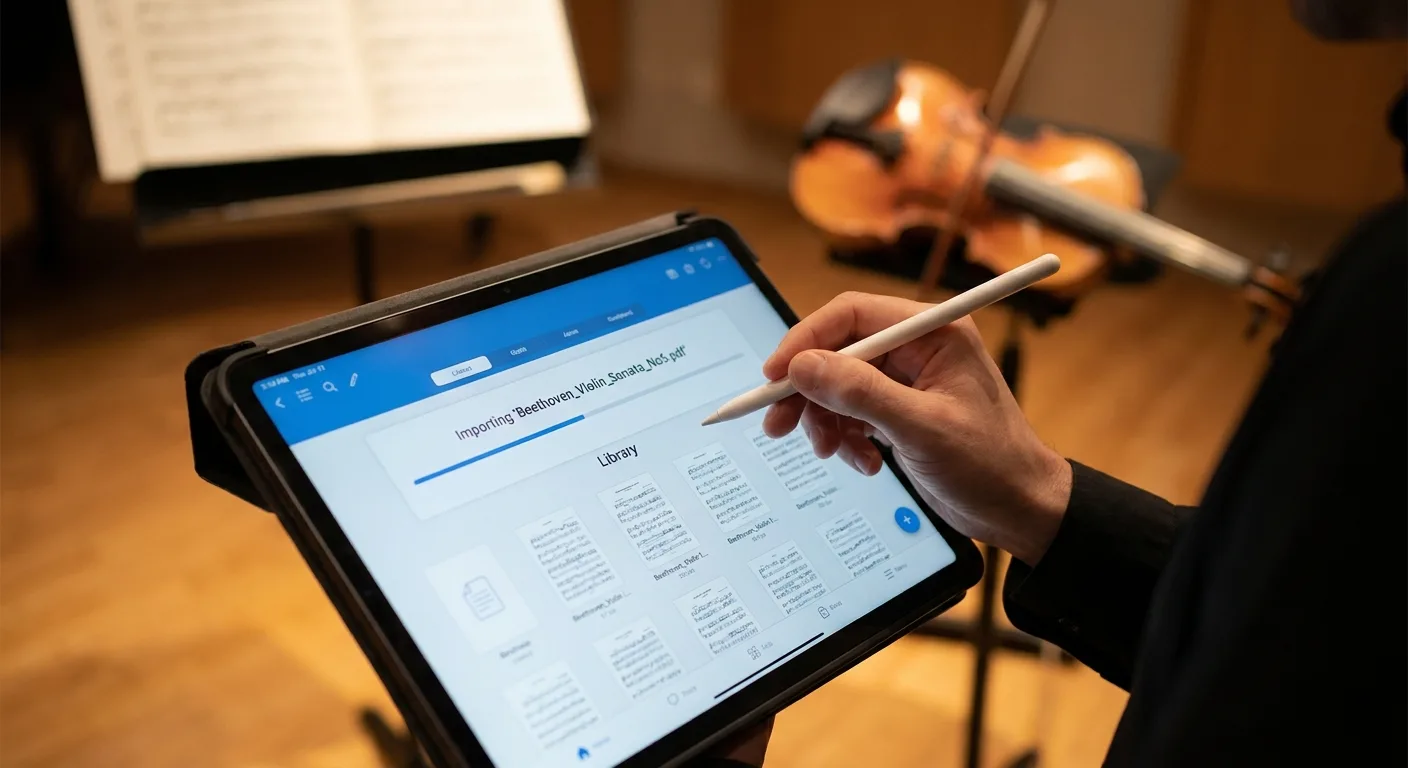
Importing a PDF sheet music file into an app takes less than a minute on average and involves just four steps: open the app, select “Import,” choose the file source, and confirm. In Newzik, a sheet music app available on iPad and via a web browser, this process remains the same regardless of the document’s source.
Here are the detailed instructions:
- Open Newzik and go to your sheet music library.
- Tap the import button (the "+" icon or "Import").
- Select the source: local storage, iCloud, Dropbox, Google Drive, or an email attachment.
- Select the PDF and then confirm. The file will be added to your library in a few seconds.
Once the PDF has been imported, you can annotate it with a stylus, organize it into sets, or transpose it. Newzik currently manages 14 million sheet music scores for its 450,000 users, which reflects the robustness of the import system. To learn more about managing a large collection, check out our guide on managing a large sheet music library. The import feature works just as well for a single sheet of music as it does for a conductor’s score running several hundred pages long.
14 million
digital sheet music managed by Newzik for 450,000 users (Newzik data, 2026)
From which sources can you import a PDF?
A sheet music app lets you import a PDF from your device’s local storage, a cloud service (iCloud, Dropbox, Google Drive), an email, or a direct web link. Newzik supports these various sources on the iPad and through its web app, eliminating the need to manually transfer files from one platform to another.
The choice of source depends on your organization. A musician who receives a score via email can open it directly in Newzik using the “Open in” feature. A conductor who stores their scores on Dropbox can sync their library simply by connecting their cloud account.
Local storage
Files already on the iPad or computer; instant import without a connection.
Cloud Services
iCloud, Dropbox, Google Drive: Automatic synchronization of the sheet music library.
Open a received attachment directly using the "Open in Newzik" command.
Web link
Import from a URL pointing to a PDF hosted online.
For ensembles, this flexibility makes collaborative sharing easier. Newzik synchronizes sheet music among musicians in the same orchestra in real time, as detailed on our page about sharing sheet music within an ensemble. Multi-source compatibility remains a key factor for Newzik’s 150 partner institutions, including opera houses and conservatories.
What file formats does a sheet music app support?
A music sheet app primarily supports PDF files, but also accepts images (JPEG, PNG) and notation formats such as MusicXML and MIDI. Newzik imports these different file types and then converts the PDFs or images into interactive sheet music using its OMR (Optical Music Recognition) technology.
PDF remains the go-to format because it preserves the original layout and print quality. Photos of paper sheet music taken with a camera can also be converted, making it possible to digitize a physical music library. For musicians working with music notation software, MusicXML import and export ensure portability to other tools.
- Primary Use: Fixed-Layout Score
- Newzik Import: Yes
- Interactive conversion: Yes (LiveScores)
JPEG / PNG
- Main use: Photo of a printed sheet of music
- Newzik Import: Yes
- Interactive grading: Yes (OMR)
MusicXML
- Primary use: Editable notation
- Newzik Import: Yes
- Interactive Conversion: Native
MIDI
- Primary use: Audio playback
- Newzik Import: Yes
- Interactive Conversion: Native
To understand the value of a sheet music score that goes beyond a simple static document, read our article on augmented sheet music. Newzik remains an app for reading and organizing sheet music: it does not create scores from scratch, unlike notation editors.
How do I convert an imported PDF into an interactive score?
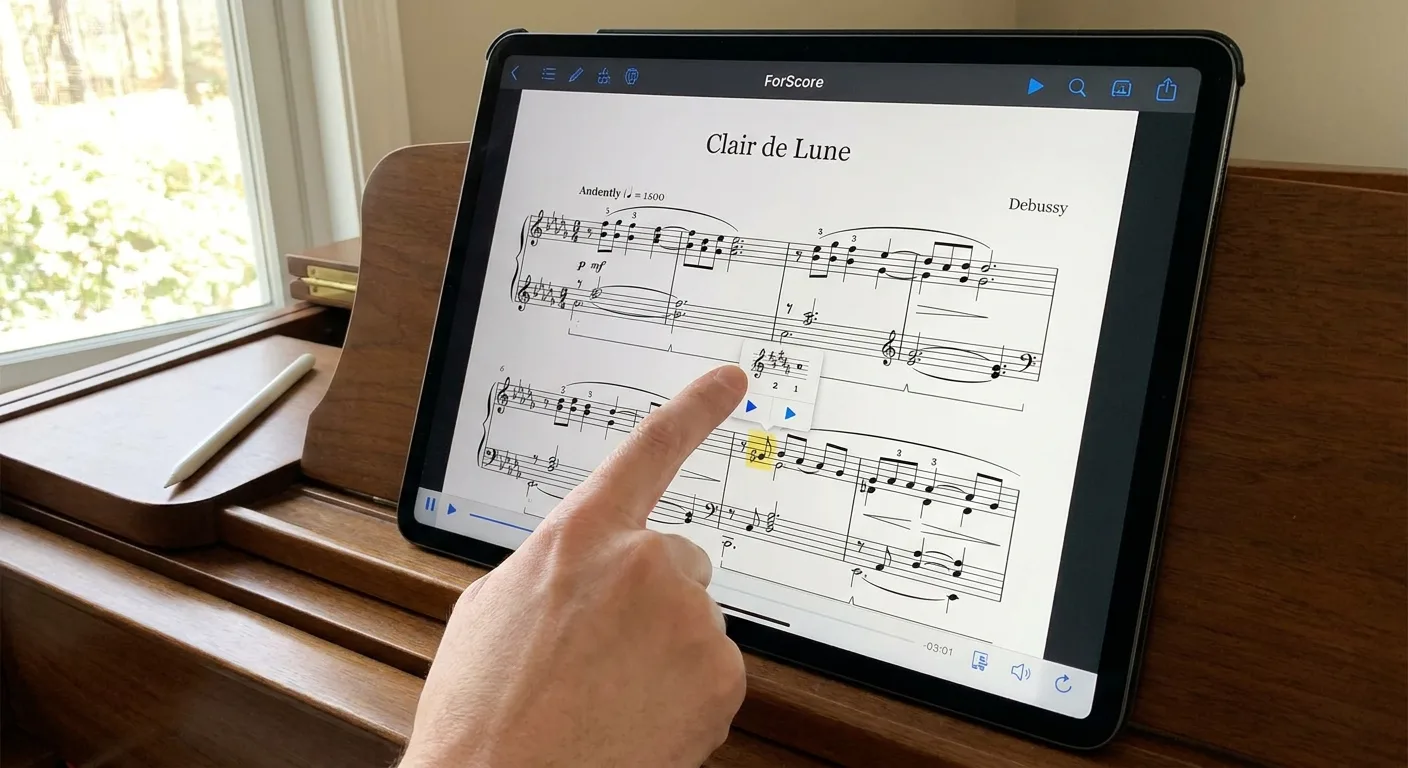
To convert an imported PDF into an interactive sheet music file, you need to use optical sheet music recognition (OMR) technology, which transforms the document's image into usable musical data. Newzik performs this conversion using LiveScores, its proprietary technology that analyzes the PDF and generates a sheet music file that can be scrolled through, transposed, and played back as audio.
Once the PDF has been imported into Newzik, the LiveScores conversion is activated with just a few taps. The result: an interactive digital score where each note becomes a data point. This unlocks features that aren't possible with a standard PDF.
Key takeaways
- LiveScores converts a PDF into an interactive score using the OMR feature built into Newzik.
- Instant transposition allows you to raise or lower the key, a feature not available in forScore.
- After conversion, you can export MusicXML and MIDI files so you can reuse the score elsewhere.
Instant transposition is a great example of the value of conversion: a singer can adapt a score to their vocal range in a single step. Our guide on how to transpose a score in the app explains this feature in detail. The audio playback feature also lets you play along with yourself to learn a piece. These capabilities explain why 150 partner institutions—including opera houses and orchestras—have adopted Newzik.
Can I import multiple PDFs at once?
Yes, a music sheet app typically allows you to import multiple PDF files at once by selecting them in batches from your device's storage or a cloud folder. Newzik supports this batch import feature, which is essential for musicians digitizing an entire library or conductors managing hundreds of scores.
Bulk import eliminates the tedious task of adding files one by one. Simply select multiple PDFs in the file selector, then click "OK": Newzik adds them all to the sheet music library and organizes them according to the specified settings. This saves a pop orchestra guitarist who manages hundreds of sheet music files a considerable amount of time.
After a bulk import, organization becomes the priority. Newzik lets you sort sheet music by composer, instrument, or event, and group them into sets for a concert. To effectively organize a large collection, check out our resource on organizing and centralizing sheet music. Setlist management is also detailed on our page about setlist management for musicians. With 14 million sheet music files processed to date, Newzik’s infrastructure supports very large individual libraries without any loss of performance.
What should I do if a PDF import fails?
If a PDF import fails, first check the file size, whether the file is protected (locked PDF), and your internet connection for cloud imports. In Newzik, a music sheet app, most failures are caused by a corrupted file, a password-protected file, or a file that is too large for instant synchronization.
Here are the checks to perform in the following order:
- Please confirm that the file is a valid, uncorrupted PDF (try opening it in another PDF reader).
- Remove any password protection: a locked PDF prevents import.
- Check your connection to import from iCloud, Dropbox, or Google Drive.
- If the file is very large, please be patient or split the document into smaller parts.
If the problem persists, the Newzik team is known for its responsiveness, a point highlighted by several long-time users. You can also consult the official Newzik app documentation for specific cases. For guidance on best practices for the PDF format,the International Organization for Standardization (ISO 32000) defines the technical standard for PDF. The recommendations in the Ministry of Culture’s documentation on heritage digitization also emphasize the importance of uncompressed files to preserve the readability of digitized sheet music.
What Our Customers Say
Newzik has an average rating of 5.0/5 based on 5 verified reviews, along with a 4.7/5 rating on the App Store. Here is some feedback from musicians who use the app every day.
"I've been a Newzik user and tester since the very beginning. I've had the pleasure and joy of watching this app evolve and reach levels of perfection I never thought possible. I use it EVERY DAY. The Newzik team is young, dynamic, and very responsive when issues arise. I can only encourage you to give it a try... and you'll love it. I play in a pop band (on guitar with hundreds of sheet music files and backing tracks...) I also perform solo using an Akai Ewi 5000 wind controller + Xpresso expander in classical, pop, folk, and jazz genres...) I am sincerely grateful to Newzik for creating and putting this extraordinary app in my hands."
— Danimperator Dan
★★★★★ 5/5
"An excellent app for sheet music. I'm a professional musician and teacher, and I use it every day. It runs smoothly and offers plenty of options for annotations. And for my lessons, I have my entire library right in my pocket (or almost). I highly recommend it!"
— Franck Paque
★★★★★ 5/5
"PROFESSIONAL! An app that never crashes and does everything you need to work like a pro. Perfect in every way, from music education to live performance. Well done, and thank you to the developers at the Newzik team!"
— Gilles Wilhelm
★★★★★ 5/5
"My go-to sheet music app for years! As a professional musician, I’m very satisfied with Newzik’s user-friendliness, features, and stability. As an early adopter, I’ve seen it evolve (always for the better!) and I highly recommend it to all musicians—both professional and amateur—who are looking for the best solution for reading sheet music on a tablet."
— Ez
★★★★★ 5/5
"As a daily user of the French app NEWZIK for reading and annotating sheet music, I highly recommend it: whether for orchestras, chamber music, or educational settings… the app is updated very regularly and always for the better! Long live NEWZIK!"
— David NICOLAS
★★★★★ 5/5
Frequently Asked Questions
Can you import a PDF sheet music file on Android using Newzik?
No, Newzik is not available on Android. The app works on the iPad (primarily) and via a web browser, where it supports importing PDF sheet music.
Does importing a PDF preserve the quality of the sheet music?
Yes, the PDF retains its original layout and resolution when imported into Newzik. The LiveScores conversion then generates an interactive version without altering the original PDF document.
Do you need an internet connection to import a PDF?
However, for a file stored locally on the device, the import is instantaneous and offline. An internet connection is required only to import from iCloud, Dropbox, Google Drive, or a LiveScores conversion.
Can a PDF sheet music file be transposed after it has been imported?
Yes, after converting a PDF into an interactive sheet music file using LiveScores, Newzik allows for instant transposition. This feature—which is not available in the competing app, forScore—adjusts the key to match the vocal range of a singer or the range of an instrument.
Can Newzik import a photo of a paper sheet of music?
Yes, Newzik imports JPEG and PNG images, including photos of printed sheet music. OMR technology then converts them into usable digital sheet music.
How many PDF files can you import into Newzik?
There is no practical limit to the number of PDFs that can be imported. Newzik manages 14 million sheet music files for its 450,000 users, which supports individual libraries containing several thousand documents.
Can an imported PDF be shared with a group?
Yes, Newzik synchronizes imported sheet music among musicians in the same ensemble in real time. This collaboration makes it easier for orchestras and chamber music ensembles to work together.
All resources
Ready to import your PDF sheet music in just a few seconds?









.png)
.jpg)
.png)


.png)
Subscribe to our newsletter